Desktop Simulator & QEMU
Two ways to develop and test without physical hardware: an SDL2 desktop simulator with identical emulator cores, and a QEMU-based ESP32-S3 benchmark for CPU performance validation.
Desktop Simulator (SDL2)
SDL2-based hardware simulator that runs on macOS/Linux without physical hardware. Uses the same HAL interface as the ESP32 firmware — the emulator cores are identical on both platforms.
Architecture
┌─── ESP32 Hardware (PCB) ───┐    ┌─── Simulator (SDL2) ──────────┐
│                             │    │                                 │
│ ILI9488 480×320             │    │ SDL2 window 480×320             │
│  └─ 8080 parallel bus       │◄──►│  └─ sim_display_write()         │
│  └─ GPIO 4-11,12-14,46     │    │                                 │
│                             │    │                                 │
│ 12 tact switches            │    │ Keyboard WASD/JK/UI             │
│  └─ GPIO 40,41,42,1,...     │◄──►│  └─ sim_buttons_read()          │
│                             │    │                                 │
│ PDM → PAM8403 → Speaker    │    │ SDL2 audio 32kHz mono           │
│  └─ GPIO 17 (DOUT only)     │◄──►│  └─ sim_audio_write()           │
│                             │    │                                 │
│ SPI → SD card (TF-01A)     │    │ Host filesystem (test-roms/)    │
│  └─ GPIO 44,43,38,39        │◄──►│  └─ sdcard_sim_load_rom()       │
└─────────────────────────────┘    └─────────────────────────────────┘
Quick Start
# Build simulator (requires: brew install sdl2)
cd software/sim && make

# Run with ROM browser
./scripts/sim-run.sh run

# Or run directly
./software/sim/emu-turbo-sim ./test-roms
Controls
| Key | Button | Key | Button |
|---|---|---|---|
| W | UP | J | A |
| A | LEFT | K | B |
| S | DOWN | U | X |
| D | RIGHT | I | Y |
| Enter | START | Backspace | SELECT |
| Q | L | E | R |
| ESC | Back to ROM browser | Window close | Quit |
Launcher Flow
- Boot → hardware init (display, input, audio, SD card)
- HW Test → all subsystems checked → press START
- ROM Browser → recursive scan of
test-roms/→ UP/DOWN + A to select - ROM Check → header validation (iNES, SNES, GB, Genesis, SMS, GG, PCE) → press START
- Emulation → real-time emulation at 60fps → ESC to go back
ROM Validation
The ROM checker (rom_check.c) validates headers for all 8 platforms:
| Platform | Check | Fields |
|---|---|---|
| NES | iNES header (NES\x1A) | Mapper, PRG/CHR sizes, mirroring |
| SNES | LoROM/HiROM checksum | Title, ROM type, RAM size |
| GB/GBC | Nintendo logo + header checksum | Title, MBC type, ROM banks |
| Genesis | SEGA signature at 0x100 | Domestic title, region |
| SMS/GG | TMR SEGA at 0x7FF0 | Region code |
| PCE | Size validation | Copier header detection |
Emulator Cores
| Platform | Core | Status | Native Resolution |
|---|---|---|---|
| NES | nofrendo | Working | 256×240 @ 60fps |
| SNES | snes9x | Working | 256×224 @ 60fps |
| GB/GBC | gnuboy | Working | 160×144 @ 60fps |
| Genesis | gwenesis | Working | 320×224 @ 60fps |
| SMS | smsplus | Working | 256×192 @ 60fps |
| GG | smsplus | Working | 160×144 @ 60fps |
| PCE | pce-go | Working | 256×240 @ 60fps |
All 7 cores are fully integrated with real emulation (no stubs). Each core implements the emu_core_t interface: init, run_frame, get_framebuffer (RGB565), get_audio (16-bit PCM), set_input, reset, shutdown.
The SNES core includes ESP32-S3 optimization profiles (frameskip, audio rate, hi-res toggle) selectable at init time based on ROM complexity.
File Structure
software/
  sim/
    sim_main.c          — Launcher (boot → browser → check → emulate)
    sim_hal.h/c         — SDL2 HAL (display, buttons, audio)
    sim_display.c       — Display driver (SDL2 window)
    sim_input.c         — Input driver (keyboard mapping)
    sim_audio.c         — Audio driver (SDL2 audio output)
    sim_sdcard.c        — SD card driver (host filesystem)
    rom_check.h/c       — ROM validation (8 platforms)
    emu_core.h          — Generic emulator core interface
    emu_core.c          — Core registry (routes platform → real core)
    emu_nes.c           — NES adapter (nofrendo → emu_core_t)
    emu_snes.c          — SNES adapter (snes9x → emu_core_t)
    emu_gb.c            — GB/GBC adapter (gnuboy → emu_core_t)
    emu_sms.c           — SMS/GG adapter (smsplus → emu_core_t)
    emu_pce.c           — PCE adapter (pce-go → emu_core_t)
    emu_gen.c           — Genesis adapter (gwenesis → emu_core_t)
    emu_snes_opt.h      — SNES ESP32 optimization profiles
    font8x8.h           — 8×8 pixel font for text rendering
    Makefile            — Native build (gcc + SDL2)
  components/
    nofrendo/           — NES emulator (from retro-go)
    snes9x/             — SNES emulator (from retro-go)
    gnuboy/             — Game Boy / GBC emulator (from retro-go)
    smsplus/            — Master System / Game Gear emulator (from retro-go)
    pce-go/             — PC Engine emulator (from retro-go)
    gwenesis/           — Sega Genesis / Mega Drive emulator (bzhxx/gwenesis)
  main/
    main.c              — ESP32 firmware (same test sequence)
    display.h/c         — ESP32 display driver (8080 parallel)
    input.h/c           — ESP32 input driver (GPIO)
    audio.h/c           — ESP32 audio driver (I2S PDM TX)
    sdcard.h/c          — ESP32 SD card driver (SPI)
    board_config.h      — GPIO pin definitions (source of truth)
QEMU ESP32-S3 Benchmark
CPU performance benchmark running all 7 emulator cores on emulated ESP32-S3 hardware via QEMU. Each core runs 300 frames after a 60-frame warmup. Audio emulation is active for all cores.
Hardware Configuration (emulated)
| Parameter | Value |
|---|---|
| CPU | Dual-core Xtensa LX7 @ 240MHz |
| PSRAM | 8MB Octal @ 80MHz |
| Flash | 16MB QIO |
| OS | FreeRTOS (ESP-IDF v5.5.4) |
Results
| Core | Platform | us/frame | FPS | Headroom vs 60fps |
|---|---|---|---|---|
| snes9x | SNES (CPU+APU, no PPU) | 1,798 | 556 | 9.3x |
| nofrendo | NES | 1,527 | 655 | 10.9x |
| gnuboy | Game Boy | 2,316 | 432 | 7.2x |
| gnuboy | Game Boy Color | 2,548 | 393 | 6.5x |
| smsplus | Master System | 2,077 | 481 | 8.0x |
| smsplus | Game Gear | 2,068 | 484 | 8.1x |
| pce-go | PC Engine | 1,620 | 617 | 10.3x |
All 7 cores run at 6.5x to 10.9x the 60fps target. The SNES benchmark measures CPU+APU only (PPU rendering runs on Core 1 in the real firmware).
QEMU provides functional emulation, not cycle-accurate. Real hardware will be slower due to PSRAM access latency (~30-50% penalty), but the large margins ensure all platforms maintain 60fps. SNES is the tightest at ~100fps estimated on real hardware after PPU overhead.
How to run
# Build benchmark firmware + flash image
make benchmark-build

# Run benchmark in QEMU (headless, results on UART)
make benchmark-run

# Run with VNC display (connect vnc://localhost:5900)
make benchmark-vnc
Interactive Simulator via VNC
The full SDL2 simulator (ROM browser + all 7 emulator cores) can run inside Docker with VNC access — no local SDL2 installation needed.
# Launch simulator with VNC
docker compose run --rm -p 5901:5901 -p 6080:6080 sim-vnc
Then open in your browser: http://localhost:6080/vnc.html (password: esp32)
Controls (keyboard via VNC):
- W/A/S/D — D-pad
- J/K — A/B buttons
- U/I — X/Y buttons
- Enter — Start
- Backspace — Select
- Q/E — L/R shoulder
- ESC — Back to menu
The simulator runs the same emulator cores as the ESP32-S3 firmware, rendering at 480x320 RGB565 — identical to the ILI9488 display output.
Emulator Screenshots
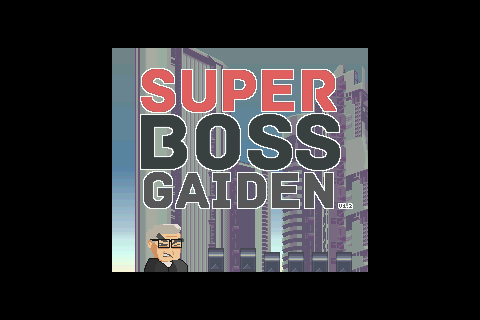
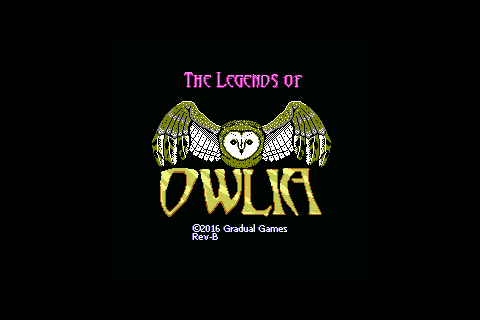
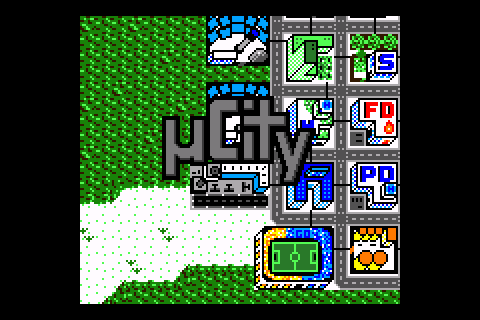
Captured from the native SDL2 simulator running the same emulator cores at 480x320 RGB565.
SNES — Super Boss Gaiden (snes9x)
NES — The Legends of Owlia (nofrendo)
Game Boy — Blargg's CPU Tests (gnuboy)

Game Boy Color — uCity (gnuboy)
Master System — Silver Valley (smsplus)

Game Gear — Swabby (smsplus)

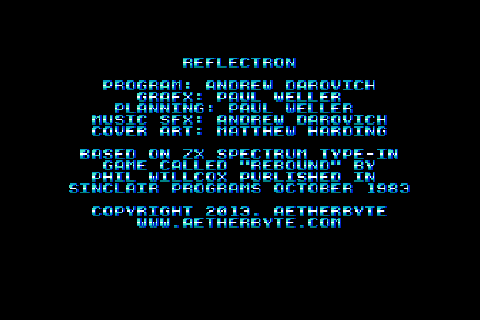
PC Engine — Reflectron (pce-go)